Agents, on the canvas.
Interaction experiments for an agent layer in Paper.
- Question
- What does a team of AI agents look like when it works on a design canvas, instead of in a terminal?
- Role
- All of it: research, interaction design, and the prototype in plain HTML, CSS and JavaScript.
- Output
- Nothing shipped, on purpose. One working prototype, nine runs, five switch placements and one state machine.
- Built on
- A rebuild of Paper’s own interface, so the experiments sit inside a real tool. Concept work, not affiliated with Paper.
- Prototype
- Open the live prototype ↗
Coding agents learned to work in teams this year. A lead agent splits a task, hands the pieces to workers in their own checkouts, and reviews what comes back before anything is merged. All of that happens as lines of text in a terminal or a chat panel.
Design tools are spatial. Artboards sit side by side, and you can see who is working where. So I wanted to find out what orchestration looks like when the work is visible. This is a playground for that question, not a product.
- Lead
- Plans the work, hands it out and reviews it. Never edits an artboard itself.
- Helpers
- Iris, Moss, Amber and Coral. Each one builds one thing on one artboard.
- Run
- One request from start to finish: plan, approve, build, review.
- Scope
- What a helper is allowed to touch. Usually a single artboard.
Orchestration already works. It just can’t be seen.
I started by reading how MonoCode, a desktop app that runs several coding agents side by side, orchestrates them. The rules are good. The lead proposes a plan as an editable card and nothing runs until you approve it. Each worker owns a write scope; when two scopes overlap, the second one waits. Workers never interrupt you: the lead answers their questions and only passes on the ones that are really yours. And a finished task isn’t accepted until the lead has reviewed it.
In a terminal, each of those rules is a status word in a list. On a canvas, each one can be something you see happen.
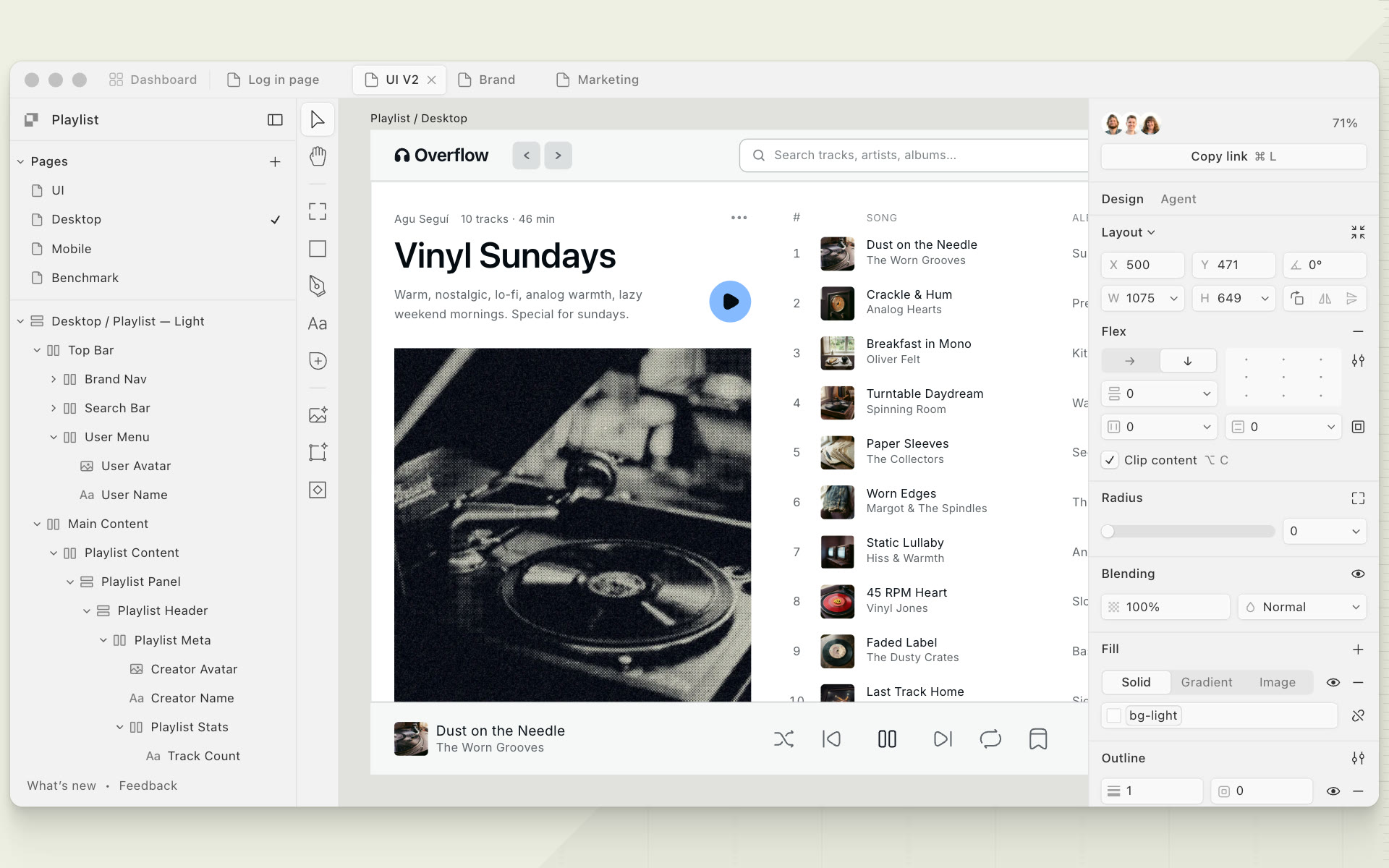
First, rebuild Paper.
Experiments in a made-up tool feel made up. The hero on paper.design turned out to be real HTML exported from Paper itself, so I captured it at the right moment and kept its tokens, shadows and icons exactly. Then I gave the right panel a second mode for agents.
Everything after this is drawn on top of that rebuild: the canvas pans and zooms, sections hold the new artboards, and the agents live in the panel you already use for design.
Where does the agent live?
The first real question was small: where do you switch between designing and talking to the agents? I built the same switch five ways. All five read the same run state, so wherever it lives it can tell you something: a blinking dot while the lead thinks, coloured dots while helpers work, an amber pulse when someone needs you.
That last one matters most. Even in Design mode, you can see that an agent is waiting on you.
Tool rail. A tool next to Pen and Text.
My favourite is the tool rail. Picking the agent like you’d pick the Pen tool says what you’re about to do: ask, not draw. The dock is the most informative and the loudest, so I’d keep it for moments when a run actually needs attention.
A face for every state.
Every agent is a small lit sphere with two eyes. I didn’t want a spinner per row, so the face carries the state: a hop while working, a glance up while waiting on someone, a tilted head when it has a question, a squint after hitting a wall, and happy arcs when it’s done.
The same face appears in the task row, on the canvas cursor and in the collaborator stack, so one agent reads as one character wherever you see it.
Head tilted. The lead decides whether you see the question.
Nine runs, nine shapes of work.
Then came the runs. Each one is a different shape of teamwork, scripted end to end with a pointer standing in for you: fan out, work in order, wait on a lock, ask, recover, compete, critique, branch, and keep watching after the run is over.
The timings are staged so you can follow each interaction. Each run pairs its notes with a diagram, and the live demo sits right below them. Watch run plays it in place; Close or Escape stops it.
01 / 09Parallel
Fan out.
- What happens
- You ask for mobile versions, and the lead reads the page and proposes three tasks. When you press Run, three helpers fly from their rows onto three phone artboards.
- Watch for
- The wires. Each ties a helper to its row in the panel, and the row streams what the helper writes.
- Caveat
- The easy case. The three artboards share nothing, and real files rarely split this cleanly.
02 / 09In order
Pipeline.
- What happens
- Tokens, then components, then specs. Iris samples real colours from the Desktop artboard, and each later helper starts when the one before it lands.
- Watch for
- When work is handed on, the dashed rail between task rows turns solid and a dot travels down it.
- Caveat
- Waiting shows only as a still face. A long chain needs a time estimate, which I didn’t design.
03 / 09Locks
Scope lock.
- What happens
- A rename and two variants all touch Desktop. Iris locks it, and the other two helpers park at its edge until the lock releases.
- Watch for
- The lock chip on the artboard label, and the queued rows reading “Waiting for Desktop”.
- Caveat
- Locks are per artboard, so edits to different layers of one artboard still wait. That’s stricter than it needs to be.
04 / 09Asks you
Ask & steer.
- What happens
- The lead passes Moss’s taste question about contrast to you as a card with two choices. Later you send Amber a note mid-run, and her artboard warms without a restart.
- Watch for
- Moss tilts and its wire turns solid while it waits. The Agent switch shows an amber dot, even in Design mode.
- Caveat
- Which questions count as “yours” is scripted here. Deciding that well is the hard part.
05 / 09Recovers
Recover.
- What happens
- Amber reaches for the shared Track row component, which is outside her scope. Her task stops at a red wall, and the lead retries her with a local copy.
- Watch for
- Only one row changes state. The other two helpers never pause.
- Caveat
- The lead’s decision shows as a note you can’t overrule. A real version would let you.
06 / 09Best of 4
Race & pick.
- What happens
- Four helpers make album covers from one brief. The lead scores them, keeps one and folds the other three into a stack.
- Watch for
- Scores appear on the artboard labels. The losing boards shrink instead of disappearing.
- Caveat
- The scores are staged. Only the layout of judging is designed.
07 / 09Critic
Critic loop.
- What happens
- Iris builds an accessible track list and Coral pins three problems to the artboard. Iris fixes them over three rounds before the lead sees anything.
- Watch for
- Pins sit on the exact element they flag and turn green when they pass.
- Caveat
- Three rounds is a fixed script. A real loop needs a stopping rule.
08 / 09Branch
Branch & merge.
- What happens
- A darker nav goes on a branch artboard linked to Desktop by a dashed line. After review, the lead proposes a merge that only you can press.
- Watch for
- The merge card lists the changes, and a dot travels up the branch line when you merge.
- Caveat
- Merging copies one change across. Conflicts with edits on main aren’t handled.
09 / 09Stays on
Watcher.
- What happens
- Amber stays on after the run. You edit Desktop by hand in Design mode, and Amber mirrors each edit into the Dark and Japanese variants.
- Watch for
- The switch keeps Amber’s dot while you design, and edits fly across to the variants.
- Caveat
- A watcher that never stops needs a visible off switch. Here it’s only in the task row.
Which row is that?
The detail I’d keep from all of this is the wire: a thin dashed line from a helper’s row in the panel to its cursor on the canvas. It answers “which row is that?” without labels, it streams while the helper writes, and it turns solid when the helper is stuck. When the helper flies home, the wire goes with it.
Every state is designed.
Underneath the runs is a small state machine with fourteen states: idle, composing, reading, planning, awaiting approval, running, and the side trips a run can take, like asking you, recovering, judging, critiquing, merging or watching. The runs only send events. The panel, the switch, the prompt placeholder and the faces all read the state.
That split made the experiments cheap. A new run was mostly a new script; the interface already knew how to show what was happening.
- Switch
- DesignAgent
- Helper
- Task row
- PlaylistNeeds you
- Prompt
- Answer, or steer the run…
What I’d take forward.
I’d keep the agents close to the work. Clear ownership matters more than another status message, and people should be able to step in without interrupting the whole run.
Still open
- How do several people and several agents share one canvas without it turning into noise?
- Undo for a whole run: which layers did it touch, and can they roll back together?
- Budgets. A run that stops at a time or cost limit should leave the unfinished artboards as honest placeholders.